MCP Security and Tokens
Your MCP token represents your Sheet Best account. Store it like a password and give it only to MCP clients you trust.
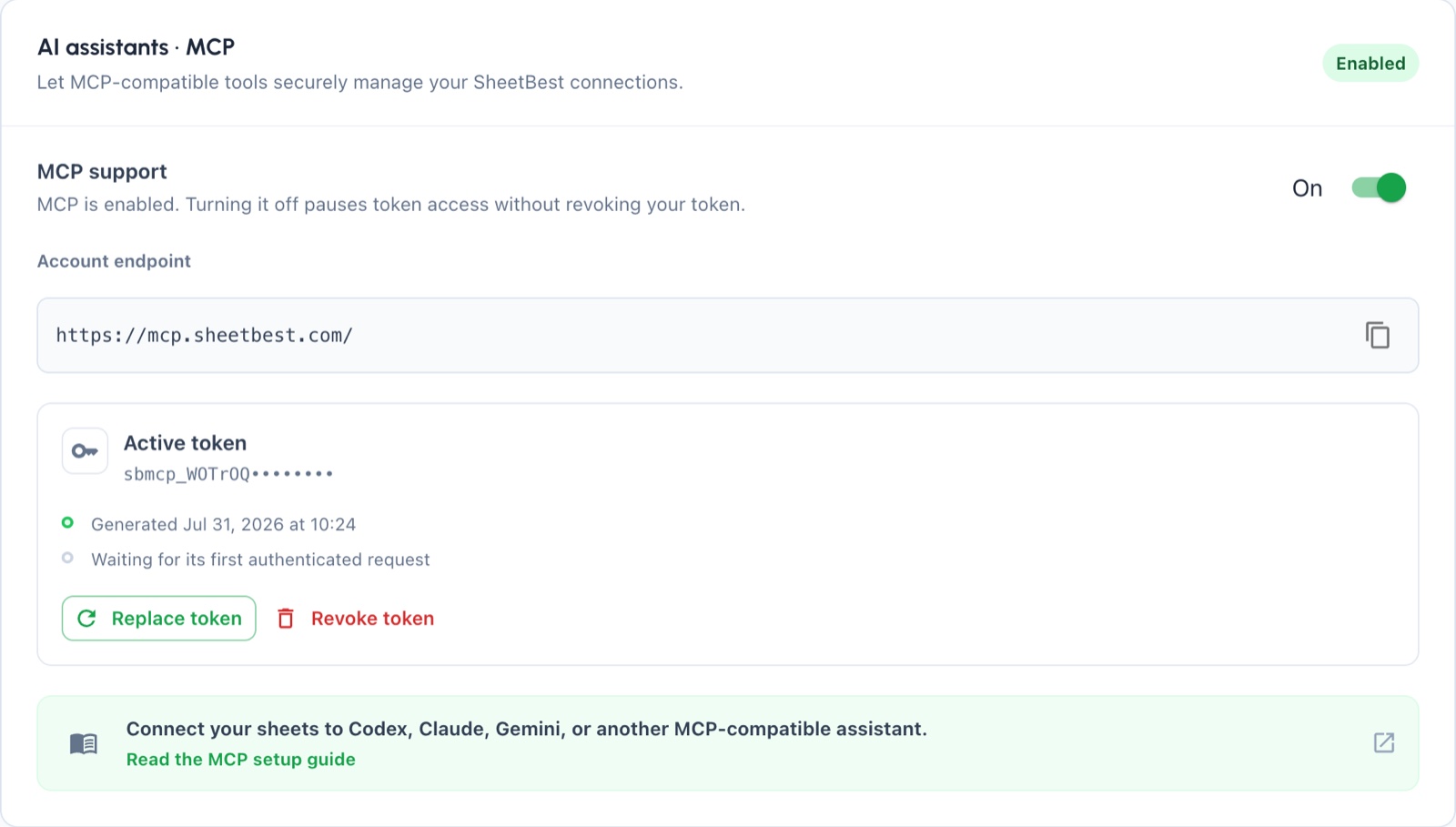
Manage these controls in Settings → Integrations → AI assistants · MCP.
How the token works
- A token begins with
sbmcp_and is generated with high-entropy random data. - The raw token appears only when you create it.
- Sheet Best stores a hash, not the raw token.
- You can have one active MCP token at a time.
- Tokens do not expire automatically in the current release.
- The account and optional direct endpoints accept an MCP token and do not allow anonymous access.
- A valid token can use only connections owned by its Sheet Best user.
Enable, pause, revoke, or replace
These actions have different effects:
| Action | Token retained? | Current token works? | What to do next |
|---|---|---|---|
| Turn MCP support on | Yes | Yes, if one exists | Connect or reconnect your clients. |
| Turn MCP support off | Yes | No | Turn support on later to resume with the same token. |
| Revoke token | No active token | No | Generate a new token when you need access again. |
| Replace token | Replaced by a new token | Old token stops immediately | Store the new token and update every client. |
Turning support off pauses access; it is not the same as revoking the credential. Revoking a token does not turn MCP support off.
Store downloaded credentials safely
Download credentials creates sheetbest-mcp-credentials.txt, which contains
the account endpoint and raw token.
- Store it in a password manager or another encrypted secret store.
- Do not commit it to source control or upload it to shared storage.
- Do not paste it into prompts, tickets, logs, or screenshots.
- Delete unneeded copies from your Downloads folder and backups.
- If it may have leaked, revoke or replace it immediately.
Connection access still applies
A valid account token does not override connection controls. Sheet tools are available only when:
- the connection belongs to the token's user;
- account-level and connection-level MCP access are enabled;
- the connection is active;
- origin and IP rules pass;
- the requested operation is allowed by the connection and plan;
- quota remains for operations that consume requests.
Write tools also need Google edit access. For a link-shared sheet, grant Editor access. For a private sheet, the Google account authorized in Sheet Best must retain access. See Private Sheets.
Use sheetbest_get_permissions to compare Google access, Sheet Best settings,
and effective row actions.
Browser and native clients
Browser-based MCP clients send an Origin header. Sheet Best accepts those
requests only from origins approved for the MCP service. Native clients that do
not send an Origin header are supported.
If a browser client is rejected even with a valid token, do not weaken other connection controls. Contact Sheet Best support with the client name, version, and origin so the approved-origin configuration can be reviewed.
No OAuth or automatic expiry
The current MCP release uses manually configured bearer tokens. It does not provide OAuth discovery, user consent, refresh tokens, or automatic MCP-token expiry.
This makes rotation your responsibility. Replace the token when:
- a device or client is no longer trusted;
- someone may have seen the raw token;
- a downloaded credentials file may have been copied;
- you want to remove access from all existing clients and enroll them again.
Respond to a suspected leak
- Turn MCP support off to pause authenticated requests immediately.
- Select Revoke token if you do not need a replacement yet, or Replace token to issue one now.
- Remove the old token and downloaded credential files from every client and device.
- Add the replacement token only to clients you still trust.
- Turn MCP support on and run
sheetbest_get_permissionson each connection you intend to use.
Replacing a token stops every client using the old value, not just the client where you noticed the problem.
Next step
See MCP troubleshooting for authentication and permission errors.